


Cloud migration services have become a key part of modern business growth and digital transformation. Today, companies of all sizes are moving their systems, data, and applications from traditional servers to cloud environments. This shift is not just a trend but a practical solution to improve flexibility, security, and cost control. Cloud migration services help organizations make this move smoothly, without disrupting daily operations. For beginners and intermediate readers, the idea of migration may sound technical and risky. However, when explained in simple terms, cloud migration services are easier to understand and plan. These services guide businesses through assessment, planning, data transfer, testing, and optimization. They also help reduce downtime and prevent data loss. In the first stage, businesses evaluate their current setup. Next, they choose a suitable cloud model. Finally, systems are moved and optimized for performance. Cloud migration services are now widely used in industries such as healthcare, education, finance, and retail. They support remote work, improve collaboration, and allow faster scaling. This guide will explain what cloud migration services are, why they matter, how the process works, and what mistakes to avoid. By the end, you will have a clear picture of how cloud services can support long-term success.
What is Cloud Migration Services?
Cloud migration services refer to professional solutions that help move digital assets from on-premise systems to cloud platforms. These assets may include applications, databases, files, and entire IT infrastructures. The main goal is to ensure a smooth and secure transition with minimal downtime.
There are different migration approaches. Some businesses move everything at once, while others migrate in stages. For example, a company may start by moving email systems before shifting customer databases. Cloud migration services also include planning, risk assessment, data mapping, and post-migration support. They help businesses choose between public, private, or hybrid cloud environments based on their needs.
Why is Cloud Migration Services Important?
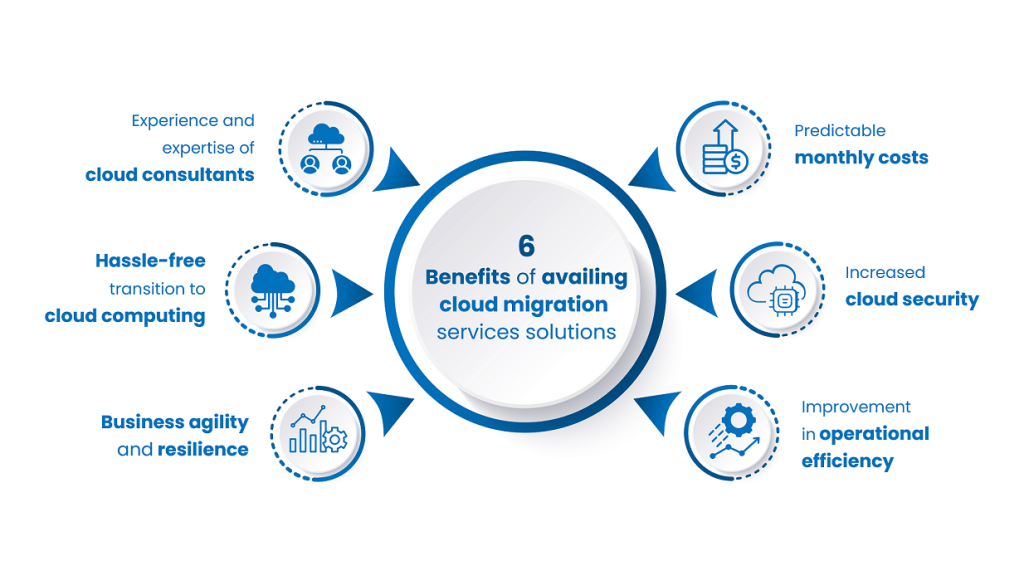
Cloud migration services are important because they reduce complexity and risk. Moving systems without expert support can lead to data loss, security issues, and long outages. These services provide structured methods and proven tools to manage change safely.
They also help businesses stay competitive. Cloud platforms offer faster deployment, better disaster recovery, and improved performance. With cloud migration services, companies can modernize systems while focusing on core operations instead of technical challenges.
Detailed Step-by-Step Guide
Step 1: Assess Current Infrastructure
The first step is understanding what you already have. Cloud migration services analyze servers, applications, data volume, and dependencies. This assessment helps identify what can move easily and what needs modification.
Step 2: Define Migration Goals
Clear goals guide the entire process. Some businesses want cost savings, while others focus on performance or security. Cloud migration services align technical decisions with business objectives.
Step 3: Choose the Right Cloud Model
You can select public, private, or hybrid cloud options. Public clouds are cost-effective, private clouds offer more control, and hybrid models combine both. Cloud migration services help evaluate the best fit.
Step 4: Create a Migration Plan
A detailed plan reduces surprises. It includes timelines, resource allocation, backup strategies, and risk management steps. This plan keeps everyone aligned.
Step 5: Prepare Data and Applications
Before moving, data is cleaned and organized. Applications may be updated for cloud compatibility. Cloud migration services ensure readiness and security.
Step 6: Execute the Migration
This is the actual transfer phase. Data and applications are moved using secure tools. Testing happens continuously to ensure accuracy.
Step 7: Test and Validate
After migration, systems are tested for performance, security, and reliability. Any issues are fixed before full deployment.
Step 8: Optimize and Monitor
Cloud migration services continue after launch. They monitor performance, control costs, and optimize resources for long-term efficiency.
Benefits of Cloud Migration Services
- Reduced infrastructure and maintenance costs
- Improved scalability and flexibility
- Enhanced data security and compliance
- Better disaster recovery and backup
- Faster deployment of applications
- Support for remote and global teams
Disadvantages / Risks
- Initial migration costs can be high
- Possible downtime if poorly planned
- Data security risks during transfer
- Compatibility issues with legacy systems
- Need for skilled management and training
Common Mistakes to Avoid
One common mistake is skipping the assessment phase. Without understanding existing systems, migration plans fail. Another issue is unclear goals, which lead to wasted resources. Businesses also underestimate data security needs during transfer. Choosing the wrong cloud model can increase costs instead of reducing them. Finally, ignoring post-migration optimization can limit long-term benefits.
FAQs
1. What are cloud migration services used for?
Cloud migration services are used to move data, applications, and systems from local servers to cloud platforms safely and efficiently.
2. Is cloud migration suitable for small businesses?
Yes, small businesses benefit from cloud migration services because they reduce hardware costs and support growth without heavy investment.
3. How long does cloud migration take?
The timeline depends on system size and complexity. Small migrations may take weeks, while large ones can take several months.
4. Is data safe during migration?
With proper encryption, backups, and testing, cloud migration services ensure high levels of data security.
5. Do all applications work in the cloud?
Not all legacy applications are cloud-ready. Some may need updates or replacement before migration.
6. What happens after migration is complete?
After migration, systems are monitored, optimized, and maintained to ensure performance, security, and cost efficiency.
Expert Tips & Bonus Points
Start with non-critical systems to reduce risk. Always keep backups before migration. Train staff early to avoid confusion. Monitor cloud usage to control costs. Review performance regularly and adjust resources as needed.
Conclusion
Cloud migration services play a vital role in helping businesses move toward modern, flexible, and scalable IT environments. For beginners and intermediate learners, understanding the process makes the journey less intimidating. These services provide structured planning, secure data transfer, and ongoing optimization. While there are risks, careful preparation and expert guidance minimize them. Cloud migration services allow businesses to reduce costs, improve performance, and support remote work. They also help organizations adapt quickly to market changes. By avoiding common mistakes and following best practices, companies can achieve long-term success. Whether you are a startup or an established enterprise, cloud migration services offer a clear path to digital growth and stability.
