


Cloud services for business have become a game-changer in the modern digital world. Whether you are running a small startup or managing a large enterprise, using cloud services for business can simplify operations, enhance collaboration, and save costs. Simply put, cloud services allow businesses to access software, storage, and computing power over the internet instead of relying on physical servers. For beginners and intermediate users, cloud services might seem technical, but they are designed to be user-friendly and scalable. In this guide, we will explore what cloud services for business are, why they are important, how to implement them step by step, and tips to maximize their benefits. By the end, you will have a clear understanding of how cloud services can transform your business operations and help you stay competitive in today’s fast-paced environment.
What is Cloud Services for Business?
Cloud services for business refer to delivering computing resources, storage, and software applications over the internet. Instead of maintaining on-premise servers, businesses can rent these services from providers like Amazon Web Services (AWS), Microsoft Azure, or Google Cloud.
Cloud services can include:
- Infrastructure as a Service (IaaS): Provides virtual servers, storage, and networking resources.
- Platform as a Service (PaaS): Offers a development platform with tools to build and deploy applications.
- Software as a Service (SaaS): Access to software applications online without installation.
Businesses can store files, run applications, host websites, and manage data on the cloud. The main advantage is flexibility—businesses can scale resources up or down based on their needs without heavy investment in hardware. For example, a growing e-commerce business can expand its server capacity during peak shopping seasons without buying new equipment.
Why is Cloud Services for Business Important?
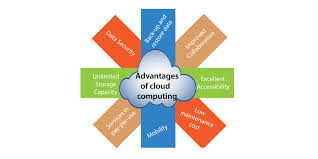
Cloud services for business have become essential for several reasons:
- Cost Savings: Reduce expenses on hardware, maintenance, and IT staff.
- Scalability: Easily adjust resources based on business demand.
- Accessibility: Employees can access applications and data from anywhere.
- Collaboration: Multiple users can work together in real-time.
- Data Security: Cloud providers offer strong security measures and backups.
- Disaster Recovery: Data is safely stored and can be restored quickly in case of emergencies.
By adopting cloud services, businesses can stay competitive, improve efficiency, and focus more on growth rather than infrastructure management.
Detailed Step-by-Step Guide
Step 1: Identify Your Business Needs
Before selecting a cloud service, determine what your business needs. Ask questions like:
- Do I need storage, software, or full server infrastructure?
- How many users will access the system?
- What is my budget for cloud services?
Create a list of requirements to help you choose the right type of cloud service.
Step 2: Choose the Right Cloud Model
There are three main cloud deployment models:
- Public Cloud: Services hosted by third-party providers, ideal for small to medium businesses.
- Private Cloud: Dedicated infrastructure for a single organization, offering more control and security.
- Hybrid Cloud: Combines public and private clouds for flexibility and risk management.
Select the model that aligns with your business goals and compliance requirements.
Step 3: Select a Cloud Provider
Choose a provider based on reliability, features, pricing, and support. Popular providers include AWS, Microsoft Azure, and Google Cloud. Evaluate:
- Performance and uptime guarantees
- Security certifications
- Customer support quality
- Pricing and scalability options
Step 4: Plan the Migration Process
Migrating to the cloud requires careful planning:
- Backup existing data
- Decide which applications and files to move first
- Test migration with a small dataset before full implementation
Proper planning reduces downtime and ensures a smooth transition.
Step 5: Implement Cloud Security Measures
Security is crucial when using cloud services for business. Implement:
- Multi-factor authentication (MFA)
- Data encryption
- Regular software updates
- Access control and user permissions
Providers usually offer built-in security tools, but businesses should supplement them with internal policies.
Step 6: Train Your Team
Employees need training to use cloud services effectively. Conduct workshops or provide online resources covering:
- How to access and store data securely
- Collaboration tools
- Best practices for maintaining security
A well-trained team ensures smooth adoption and maximizes the benefits of cloud services.
Step 7: Monitor and Optimize
After deployment, continuously monitor performance, costs, and security. Use analytics and reports to:
- Identify underused resources
- Optimize storage and server usage
- Plan for future scaling
Regular monitoring ensures your cloud environment remains efficient and cost-effective.
Benefits of Cloud Services for Business
- Reduce IT infrastructure costs
- Access business applications from anywhere
- Improve collaboration among employees
- Scale resources according to demand
- Enhance data security and compliance
- Simplify disaster recovery and backup
- Boost business agility and innovation
Disadvantages / Risks
- Dependence on internet connectivity
- Security risks if not properly managed
- Potential data privacy concerns
- Costs can increase with improper resource management
- Limited control over infrastructure in public cloud environments
Common Mistakes to Avoid
- Migrating without proper planning or backup
- Ignoring security measures and compliance standards
- Overlooking employee training
- Choosing a cloud provider based only on price
- Not monitoring usage and costs regularly
- Relying entirely on one cloud provider without a backup plan
FAQs
1. What are the main types of cloud services for business?
The main types are IaaS (Infrastructure as a Service), PaaS (Platform as a Service), and SaaS (Software as a Service). Each serves different business needs.
2. How much does cloud services for business cost?
Costs vary depending on usage, storage, and provider. Public cloud services are often pay-as-you-go, while private clouds require upfront investment.
3. Is cloud services safe for storing business data?
Yes, reputable providers offer encryption, access controls, and regular backups. Businesses should also implement their own security policies.
4. Can small businesses benefit from cloud services?
Absolutely. Cloud services reduce costs, provide flexibility, and offer tools that were previously available only to large enterprises.
5. What is a hybrid cloud, and why use it?
A hybrid cloud combines public and private clouds, allowing businesses to store sensitive data privately while using public cloud resources for general applications.
6. How do I migrate my existing business applications to the cloud?
Plan the migration, backup data, move non-critical applications first, test, and then migrate critical systems. Use provider tools or third-party migration services.
7. Can cloud services improve team collaboration?
Yes. Cloud applications like Google Workspace or Microsoft 365 allow multiple users to work on documents, spreadsheets, and projects in real-time from anywhere.
Expert Tips & Bonus Points
- Start with a small, essential set of applications before expanding
- Use multi-cloud strategies to avoid dependency on a single provider
- Regularly review and optimize resource usage to reduce costs
- Keep your cloud security policies up to date with evolving threats
- Take advantage of provider training and certification programs
- Monitor industry trends to adopt new cloud features early
Conclusion
Cloud services for business are no longer optional they are a necessity in the digital era. They provide flexibility, cost savings, and enhanced collaboration, making it easier for businesses of all sizes to operate efficiently. From small startups to large enterprises, cloud services help manage data, host applications, and scale operations without heavy investment in infrastructure. However, success requires careful planning, secure implementation, and regular monitoring. By understanding what cloud services are, why they matter, and how to use them effectively, businesses can unlock growth, improve productivity, and stay competitive in an ever-changing market. Embracing cloud services for business is not just about technology; it is a strategic move toward long-term success.
