


Introduction
Cloud storage solutions have become an essential tool for both individuals and businesses in today’s digital world. With the rapid growth of data and the need for remote access, storing files on physical drives is no longer practical. Cloud storage allows users to save their files securely online, access them from any device, and share them effortlessly. Whether you are a student, freelancer, or business owner, understanding cloud storage solutions can simplify your digital life. In this guide, we will explore what cloud storage is, why it is important, the steps to set it up, and the benefits and risks associated with it. By the end, you will have a complete understanding of how to choose and use cloud storage solutions effectively.
Cloud storage solutions are designed to provide flexibility, security, and convenience. Many beginners are intimidated by the technical terms, but the reality is that modern cloud services are user-friendly. You don’t need to be a tech expert to manage your files online. From automatic backups to collaborative workspaces, cloud storage can transform the way you handle data. This article will cover practical tips, expert advice, and common mistakes to avoid, ensuring that your experience with cloud storage is smooth and efficient.
What is Cloud Storage Solutions?
Cloud storage solutions are online services that allow users to store, manage, and access their files over the internet instead of relying on local storage devices like hard drives or USB sticks. Essentially, your data is saved on remote servers maintained by cloud providers, which you can access anytime from a computer, smartphone, or tablet. Popular examples include Google Drive, Dropbox, Microsoft OneDrive, and Amazon S3.
These solutions work by uploading your files to a secure server. The cloud provider handles the storage infrastructure, maintenance, and security, so you don’t have to worry about hardware failures or physical damage to your devices. Depending on the service, you may get free storage with basic plans or pay for larger capacities and advanced features. Many cloud storage solutions also offer synchronization across multiple devices, making it easier to work on projects from different locations.
Why is Cloud Storage Solutions Important?
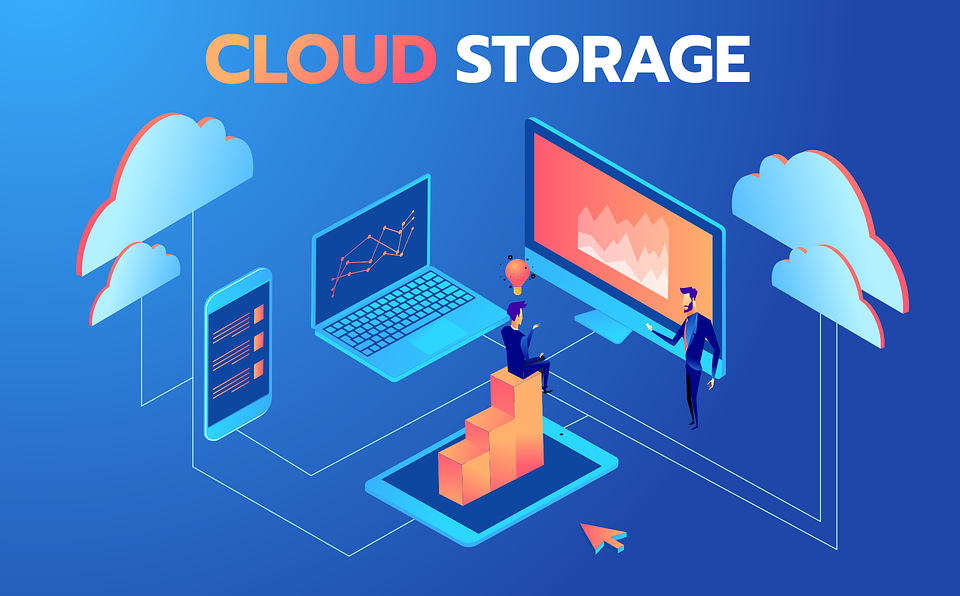
Cloud storage solutions are more than just a way to save files—they are a crucial part of digital efficiency and security. Here’s why they matter:
- Data Accessibility: You can access your files anywhere, anytime, without needing to carry physical storage devices.
- Collaboration: Cloud storage allows multiple users to work on the same file simultaneously, enhancing teamwork and productivity.
- Data Backup and Recovery: Files stored in the cloud are often automatically backed up, reducing the risk of data loss.
- Cost-Efficiency: Cloud storage eliminates the need to buy expensive hardware or maintain servers.
- Scalability: Whether you have a few files or massive amounts of data, cloud storage solutions can scale according to your needs.
- Security: Reputable cloud providers implement encryption and advanced security protocols to protect your data.
In short, cloud storage solutions offer convenience, reliability, and peace of mind, making them indispensable for both personal and professional use.
Detailed Step-by-Step Guide to Using Cloud Storage Solutions
Step 1: Choose the Right Cloud Storage Provider
Start by selecting a provider that fits your needs. Consider factors like storage capacity, security features, collaboration tools, and pricing. For beginners, free or low-cost options like Google Drive or Dropbox are ideal. Businesses may prefer advanced platforms such as Microsoft OneDrive for Business or Amazon S3 for larger datasets.
Step 2: Create an Account
Sign up for an account using your email address. Ensure you use a strong, unique password to enhance security. Some providers also offer two-factor authentication, which is highly recommended.
Step 3: Install Apps (Optional)
Most cloud storage services offer desktop and mobile apps. Installing these allows you to sync files automatically across devices. For example, Google Drive’s Backup and Sync app keeps your files updated in real time.
Step 4: Upload Files
Upload your files to the cloud by dragging and dropping them into the platform or using the upload button. Organize your files using folders and labels to make retrieval easier.
Step 5: Set Permissions
If you plan to share files, set appropriate permissions. You can allow others to view, comment, or edit files depending on your requirements. Always double-check who has access to sensitive data.
Step 6: Enable Backup and Sync
Activate automatic backup and sync features to ensure that new files and changes are immediately updated in the cloud. This minimizes the risk of data loss.
Step 7: Monitor Usage
Keep track of your storage capacity and upgrade if necessary. Many cloud storage solutions offer notifications when you are running out of space.
Benefits of Cloud Storage Solutions
- Easy Accessibility: Access files from anywhere using any device.
- Cost-Effective: No need for expensive hardware or maintenance.
- Collaboration Friendly: Multiple users can work on files simultaneously.
- Automatic Backup: Protects against accidental data loss.
- Scalable Storage: Expand your storage based on current needs.
- Enhanced Security: Encryption and secure servers protect your data.
- Eco-Friendly: Reduces the need for physical hardware, saving energy.
Disadvantages / Risks
- Internet Dependency: Requires a stable internet connection to access files.
- Security Concerns: Risk of data breaches if the provider is compromised.
- Limited Free Storage: Free plans often come with low storage capacity.
- Subscription Costs: Premium plans can be expensive for large storage needs.
- Data Recovery Delays: Recovering lost or deleted files may take time depending on the provider.
Common Mistakes to Avoid
- Not Using Strong Passwords: Weak passwords increase the risk of unauthorized access.
- Ignoring Two-Factor Authentication: Adds an extra layer of security.
- Failing to Organize Files: Disorganized files make retrieval time-consuming.
- Overlooking Storage Limits: Exceeding limits can lead to service interruptions.
- Sharing Sensitive Data Carelessly: Always check permissions before sharing.
- Neglecting Regular Backups: Ensure backups are automatic and frequent.
FAQs
1. What is the difference between cloud storage and local storage?
Cloud storage saves files on remote servers accessible via the internet, while local storage saves files on physical devices like hard drives. Cloud storage offers accessibility and backups, whereas local storage relies on your device’s condition.
2. Are cloud storage solutions safe?
Yes, most reputable providers use encryption, two-factor authentication, and secure servers. However, users must also follow best practices like using strong passwords and monitoring access.
3. How much does cloud storage cost?
Costs vary based on storage size and features. Many providers offer free plans with limited space, while premium plans for larger storage can range from $5 to $50 per month or more.
4. Can I recover deleted files?
Most cloud services have a recycle bin or trash folder that retains deleted files for a specific period. Files can be restored during this period, depending on the provider’s policies.
5. Can multiple people work on the same file simultaneously?
Yes, collaboration features allow multiple users to edit documents in real-time, making cloud storage solutions ideal for teams.
6. Do I need internet to use cloud storage?
You need an internet connection to upload, download, or sync files. Some apps allow offline access, but changes will sync once you reconnect to the internet.
7. Which cloud storage solution is best for beginners?
Google Drive and Dropbox are user-friendly and offer free storage, making them excellent choices for beginners.
Expert Tips & Bonus Points
- Always enable two-factor authentication for added security.
- Use folder organization and clear naming conventions to find files faster.
- Regularly review shared permissions to prevent unauthorized access.
- Consider hybrid storage, combining cloud and local storage for critical files.
- Take advantage of automatic backups to reduce manual effort.
- Keep an eye on storage usage and upgrade before reaching the limit to avoid interruptions.
Conclusion
Cloud storage solutions have revolutionized the way we store and manage data. They offer convenience, flexibility, and security that traditional storage methods cannot match. Whether you are a beginner looking for simple storage or a professional managing large files, cloud solutions provide an efficient, cost-effective, and safe way to handle digital data. By understanding the types of services, setting up your account properly, and following best practices, you can maximize the benefits of cloud storage while minimizing risks.
In today’s fast-paced digital environment, relying on cloud storage solutions is no longer optional—it’s essential. From ensuring data accessibility to facilitating collaboration, these platforms empower users to work smarter, stay organized, and protect valuable information. By applying expert tips, avoiding common mistakes, and choosing the right provider, you can take full advantage of everything cloud storage has to offer. In the end, embracing cloud storage solutions is a step toward a more efficient, secure, and productive digital life.
